
Veterinary practice management software is the operational backbone of a modern clinic. It touches every part of your business — from the moment a client calls to book an appointment to the final invoice payment and everything in between. Choosing the right platform can mean the difference between a practice that runs efficiently and one that is constantly fighting its own systems.
The market is crowded with options, each promising to revolutionize your practice. But not all software is created equal, and features that look impressive in a demo may not hold up under the demands of a busy clinic. This guide focuses on the features that actually matter day to day, so you can evaluate your options with confidence and choose a platform that genuinely serves your practice.
Scheduling and Appointment Management
Scheduling is the heartbeat of your practice, and your software needs to handle it with flexibility and intelligence. Look for a system that supports multiple appointment types with customizable time blocks — a wellness exam, a dental procedure, and a surgical consultation all have very different time and resource requirements.
Multi-provider calendar views are essential for practices with more than one veterinarian. Your front desk team needs to see all providers' schedules side by side to quickly identify openings, balance workloads, and avoid overbooking any single provider. Color-coded appointment types make this visual management even more efficient.
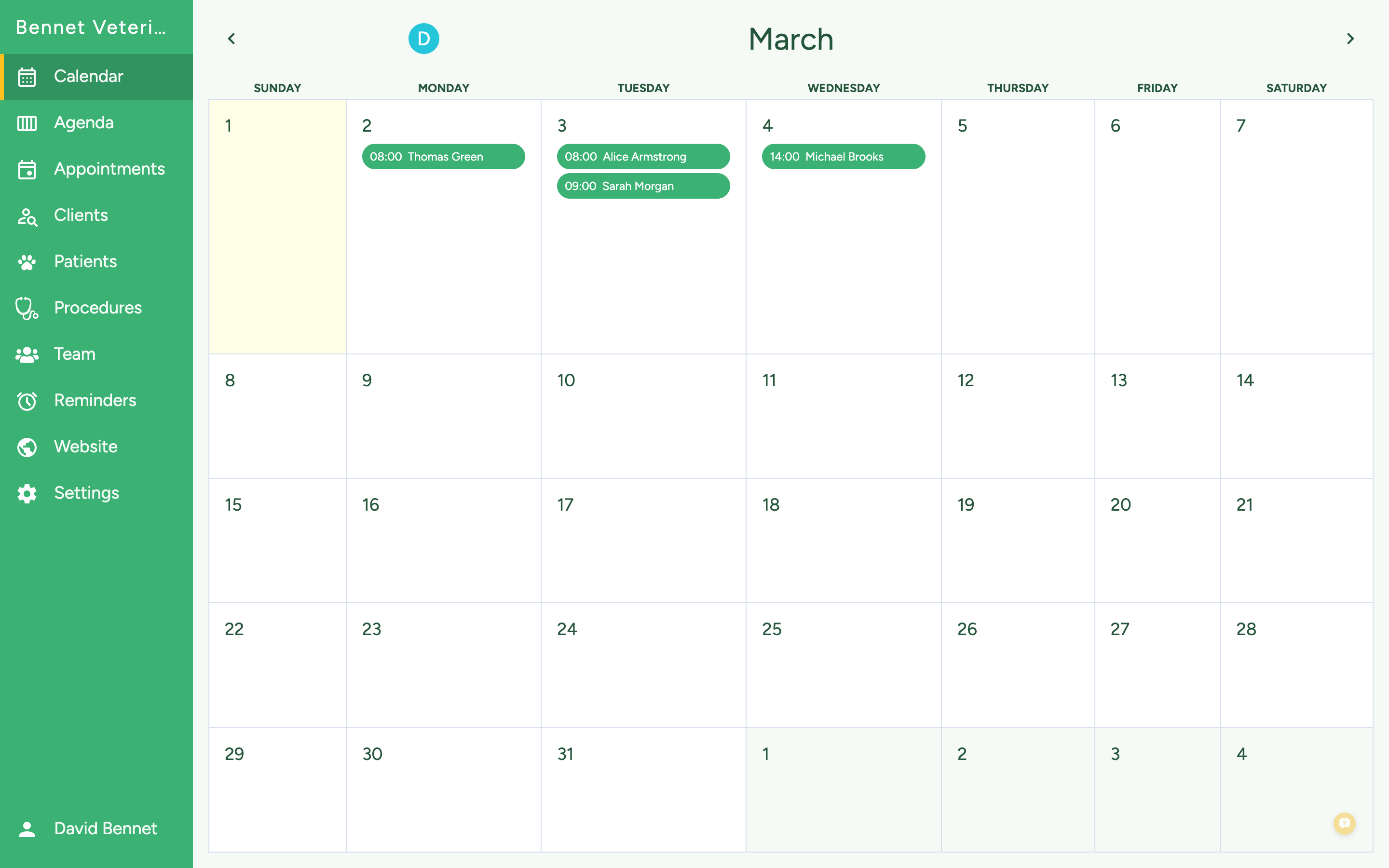
Online client self-scheduling is rapidly moving from a nice-to-have to a necessity. Practices offering online booking see a 25% to 35% reduction in scheduling phone calls, and clients increasingly expect this convenience. Make sure the software lets you control which appointment types are available online and set appropriate booking rules.
Waitlist management is another scheduling feature that pays for itself quickly. When a cancellation opens a slot, the system should automatically notify waitlisted clients and fill the gap. This turns cancellations from a revenue loss into a seamless rebooking opportunity.
Automated reminders round out the scheduling suite. Look for multi-channel capabilities — text, email, and phone — with customizable timing and messaging. Two-way text confirmation, where clients can reply to confirm or request a reschedule, reduces no-shows and cuts down on phone tag.
Patient Records and Medical History
Comprehensive, accessible patient records are the foundation of good veterinary care. Your software should make it easy to document every encounter thoroughly while keeping the process fast enough that it does not slow down your workflow.
Customizable templates for different visit types save enormous amounts of time. A wellness exam template should pre-populate the standard checks and vaccinations, while a surgical template should include anesthesia protocols, monitoring parameters, and post-op instructions. Templates ensure consistency and completeness without requiring providers to build each record from scratch.
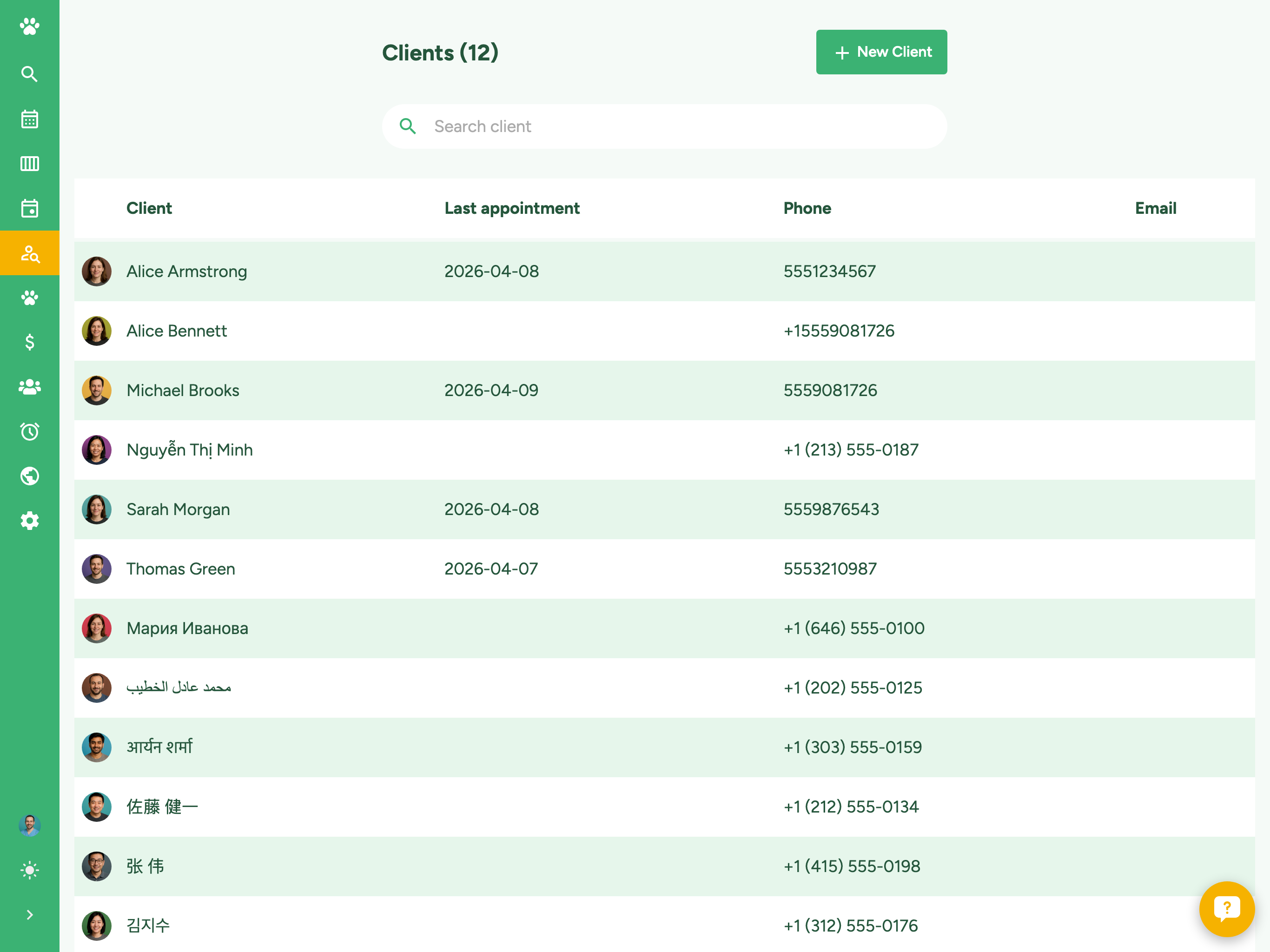
Look for a system that supports the full patient timeline — not just individual visit notes but a chronological view of every encounter, test result, medication, and communication for each patient. When a client calls about a problem that started three visits ago, your team should be able to see the complete history at a glance.
Lab integration is critical. Your software should connect with major reference laboratories (IDEXX, Antech, Heska) to automatically import results into the patient record. Manual entry of lab values is time-consuming and error-prone — direct integration eliminates both problems and gets results to providers faster.
Imaging integration matters too. Whether you use digital radiography, ultrasound, or dental imaging, the images should be accessible directly from the patient record rather than living in a separate system. DICOM compatibility ensures your software can communicate with standard imaging equipment.
Client Communication Tools
Strong communication features improve client satisfaction, increase compliance with treatment plans, and drive repeat visits. This is one area where modern software can dramatically outperform older systems.
Two-way texting is the single most impactful communication feature for client satisfaction. Clients prefer texting over phone calls for routine interactions — appointment confirmations, medication refill requests, quick questions about post-op care. Your team can handle text conversations more efficiently than phone calls, often managing three to four text threads simultaneously.
Automated preventive care reminders are a proven revenue driver. Set up reminders for annual exams, vaccination boosters, heartworm tests, flea and tick prevention refills, and dental cleanings. These reminders keep patients on schedule and prompt appointments that clients might otherwise forget. Practices using automated preventive care reminders report a 15% to 20% increase in compliance rates.
Post-visit follow-up automation shows clients you care about outcomes. A simple check-in message 24 hours after a sick visit or 3 days after surgery demonstrates attentiveness without consuming staff time. Effective client communication builds the kind of loyalty that turns single-pet clients into lifetime relationships.
Email marketing and broadcast messaging let you reach your entire client base or targeted segments with important updates — seasonal health alerts, new service announcements, or holiday schedule changes. Look for software that includes basic email campaign tools or integrates easily with dedicated email marketing platforms.
Billing and Financial Management
Your practice management software should simplify billing — not add complexity. Strong financial features ensure you capture all charges, process payments efficiently, and maintain clear visibility into your practice's financial health.
Integrated invoicing means charges are built directly from the patient record. When a provider records a treatment or dispenses medication, it should automatically appear on the invoice without anyone manually adding line items. This prevents missed charges, which are one of the most common sources of revenue leakage in veterinary practices.
Payment processing built into the software eliminates the need for a separate credit card terminal and manual payment reconciliation. Clients can pay at checkout, through a client portal, or via a payment link sent by text or email. The flexibility of multiple payment options improves collection rates and client convenience.
Treatment plan estimates let you present the full cost of recommended care before treatment begins. The best systems auto-populate estimates from your fee schedule and allow easy adjustment for different treatment tiers. This transparency prevents billing surprises and helps clients make informed decisions about their pet's care.
Financial reporting should give you a clear picture of your practice's performance. Key reports include daily revenue summaries, accounts receivable aging, production by provider, and service category breakdowns. The ability to track trends over time — monthly revenue growth, average transaction value, client visit frequency — helps you make data-driven decisions about pricing, staffing, and services.
Inventory and Pharmacy Management
If your practice dispenses medications and maintains a pharmacy, inventory management features save significant time and prevent costly stockouts or overordering.
Automatic inventory deduction ties dispensing to the patient record — when a medication is prescribed and dispensed, the inventory count updates automatically. No more manual counts or end-of-day reconciliation to figure out where your stock went.
Reorder alerts notify you when items fall below a threshold you set, giving you time to order before you run out. Some systems integrate directly with veterinary distributors to streamline the ordering process. Tracking lot numbers and expiration dates helps you manage product rotation and comply with regulatory requirements.
Markup and pricing tools let you set pricing rules that automatically calculate dispensing fees based on your cost and desired margin. When your supplier raises prices, you can update your cost and have the retail price adjust automatically across all affected items.
Mobile Access and On-the-Go Management
Modern veterinary software should work wherever you are — not just at a desktop computer in your office. Mobile access lets you check schedules, review patient records, and monitor practice performance from your phone or tablet.
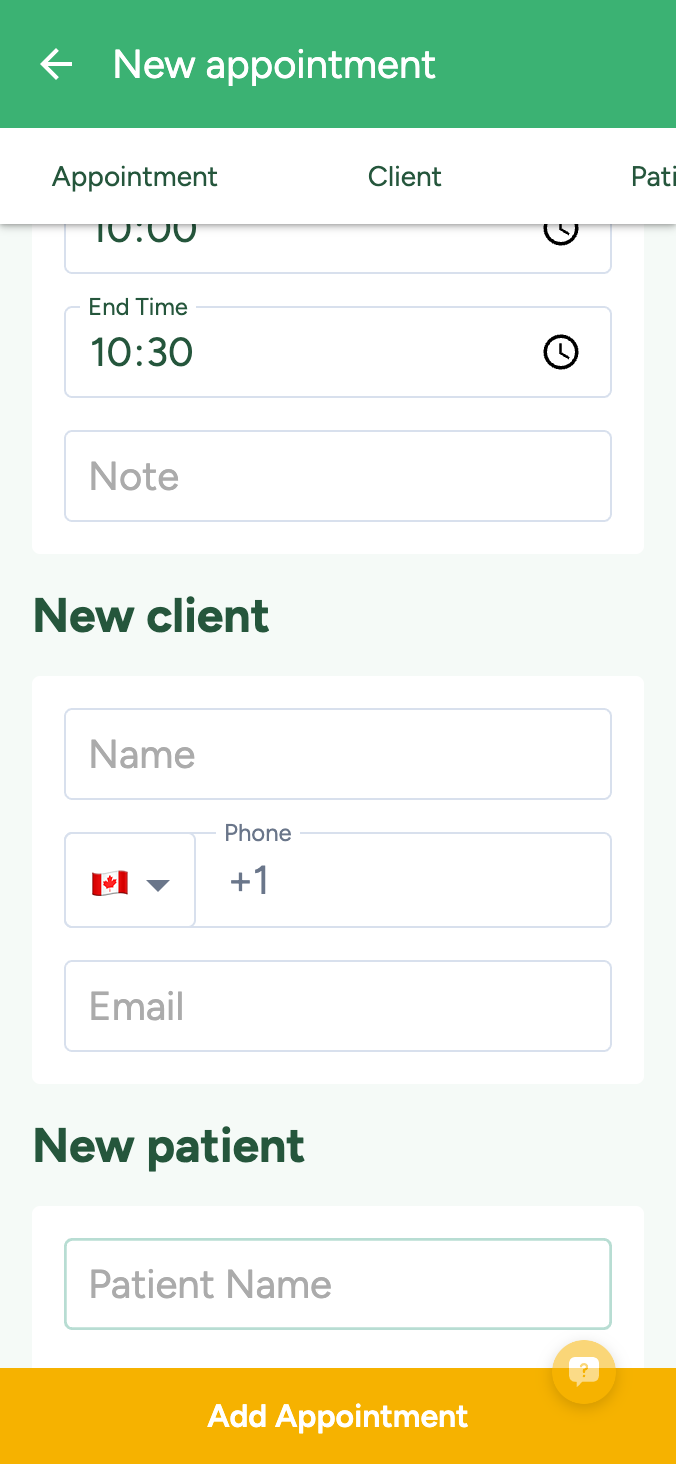
For multi-location practices or veterinarians who do house calls, mobile access is not a luxury — it is a necessity. The ability to pull up a patient's history, document a visit, and process a payment from a tablet at a client's home extends your practice beyond the four walls of your clinic.
Look for software with a responsive interface that adapts to different screen sizes rather than requiring a separate mobile app. A well-designed responsive platform means you always have access to the full feature set, not a stripped-down mobile version that is missing critical functionality.
Reporting and Analytics
Data-driven decision making separates growing practices from stagnant ones. Your software should provide actionable insights, not just raw data dumps that require hours to interpret.
Look for visual dashboards that display key performance indicators at a glance — daily and monthly revenue, new client acquisition, appointment utilization rates, and top services by volume and revenue. These dashboards should be accessible to practice owners and managers without requiring technical expertise to navigate.
Custom report builders let you answer specific questions about your practice. Which services are growing fastest? Which referral sources generate the most new clients? What is the average revenue per visit by provider? The ability to slice your data in different ways reveals opportunities and problems that standard reports might miss.
Benchmarking features that compare your practice's metrics against industry averages or similar-sized practices provide valuable context. Knowing that your average transaction value is $180 is less useful than knowing that comparable practices in your area average $210 — the comparison highlights a specific opportunity to improve.
Cloud vs. On-Premise Deployment
Most modern veterinary practice management software is cloud-based, and for good reason. Cloud platforms eliminate the need for on-site servers, automatic backups, and IT maintenance. Updates roll out automatically, so you always have the latest features and security patches without scheduling downtime.
Cloud access means you can check schedules, review patient records, and monitor practice performance from anywhere — your home, a continuing education conference, or a second clinic location. For multi-location practices, cloud software provides a single unified system across all sites.
The primary concern with cloud systems — internet dependency — is increasingly moot as reliable connectivity becomes ubiquitous. Most cloud platforms include offline modes that let you continue working during brief outages, syncing data automatically when the connection returns.
Making Your Decision
Start your evaluation by listing the three to five features that would have the biggest impact on your practice today. For a new clinic, that might be scheduling, patient records, and invoicing. For an established practice switching systems, it might be communication automation, reporting, and inventory management.
Request demos with your actual team members — front desk staff, technicians, and veterinarians all use the software differently and each needs to find it workable for their specific role. A system that dazzles the practice owner but frustrates the daily users will never deliver its full value.
Check references from practices of similar size and specialty. Ask about the implementation process, training quality, and ongoing support responsiveness. Every software has limitations — what matters is how the vendor handles issues when they arise and how actively they develop new features.
The right practice management software becomes an invisible engine that powers everything your clinic does. It should make scheduling effortless, communication consistent, and financial management transparent. Take the time to choose well, and your software investment will pay dividends for years to come.